Student Feedback
EasyLab collects feedback from students after each lab session. Admins can review the aggregated results per lab.
Viewing feedback
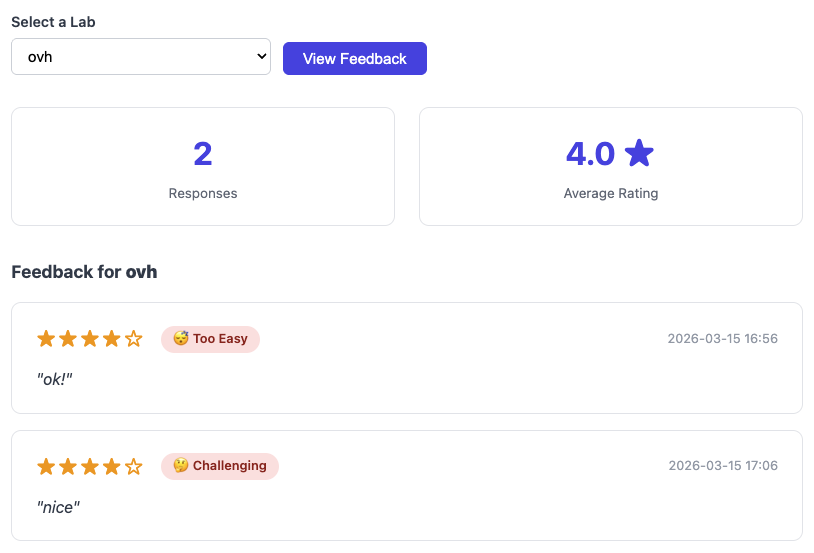
Navigate to Feedback in the admin header. Select a lab from the dropdown and click View Feedback — or, from a lab's own detail page, open its Feedback section and click View all feedback →, which lands here pre-filtered to that lab.
The page shows:
- Response count — total number of feedback submissions for the selected lab
- Average rating — mean star rating across all submissions
- Individual entries — one card per submission, displaying:
- Star rating (1–5)
- Difficulty level (Too Easy / A Bit Easy / Just Right / Challenging / Too Hard)
- Free-text comment (if provided)
- Submission date and time
If no feedback has been submitted yet, an empty state is displayed.
Exporting feedback
When a selected lab has at least one response, an Export CSV button appears above the entries. It downloads the full feedback for that lab as a feedback-<lab>.csv file — one row per submission (email, rating, difficulty, recommendation, comment, and submission time) — handy for record-keeping or analysis outside the admin UI.